
Introduction
- Thank you for choosing the Shortie web. We are pleased to have you with us. Enclosed is the documentation to help you set up and launch the app easily. Please read it carefully, as it contains important information. If you need any assistance or have questions, our support team is just a message away.
Firebase Setup for Web
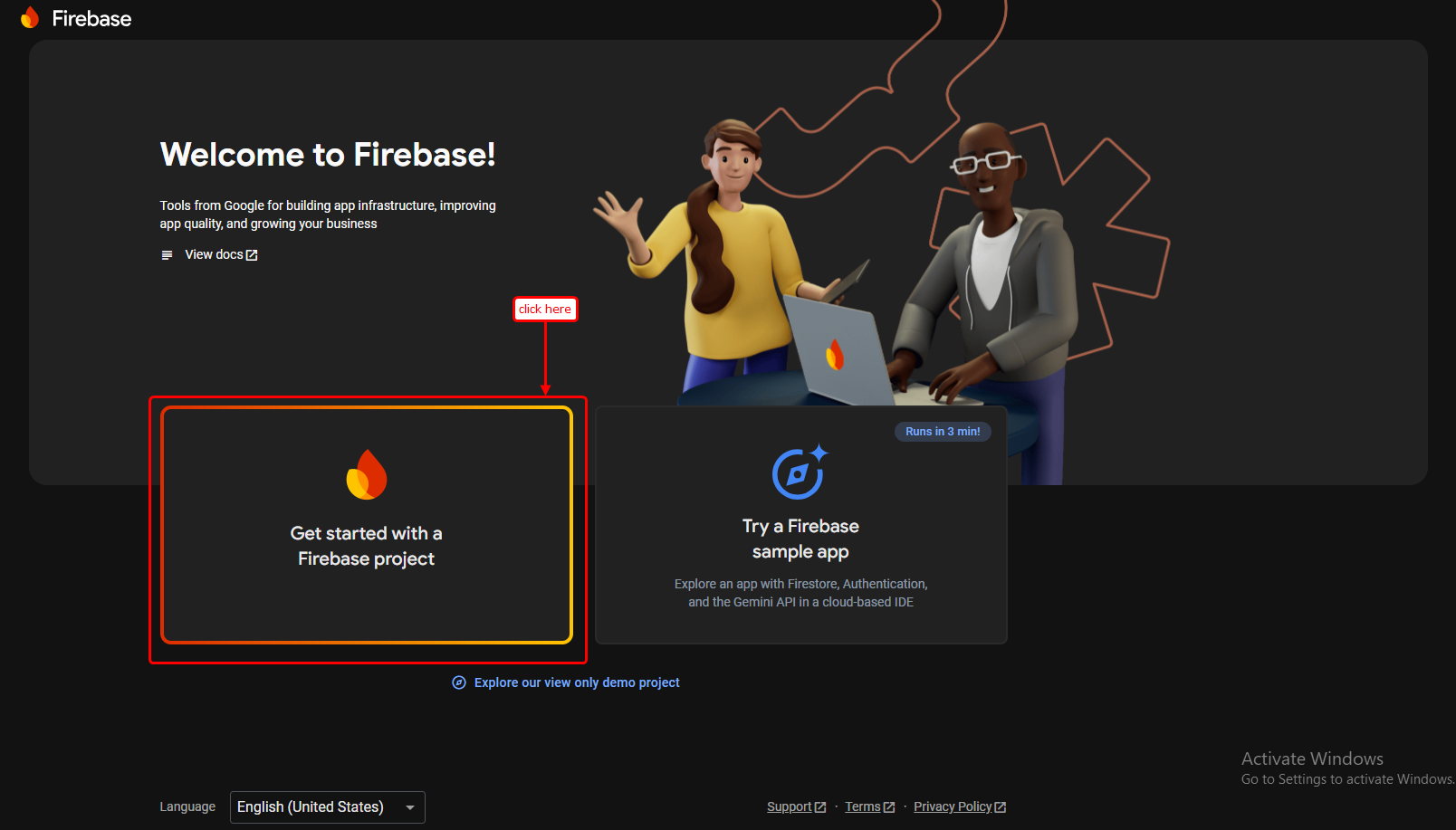
- Create a project at Firebase Console
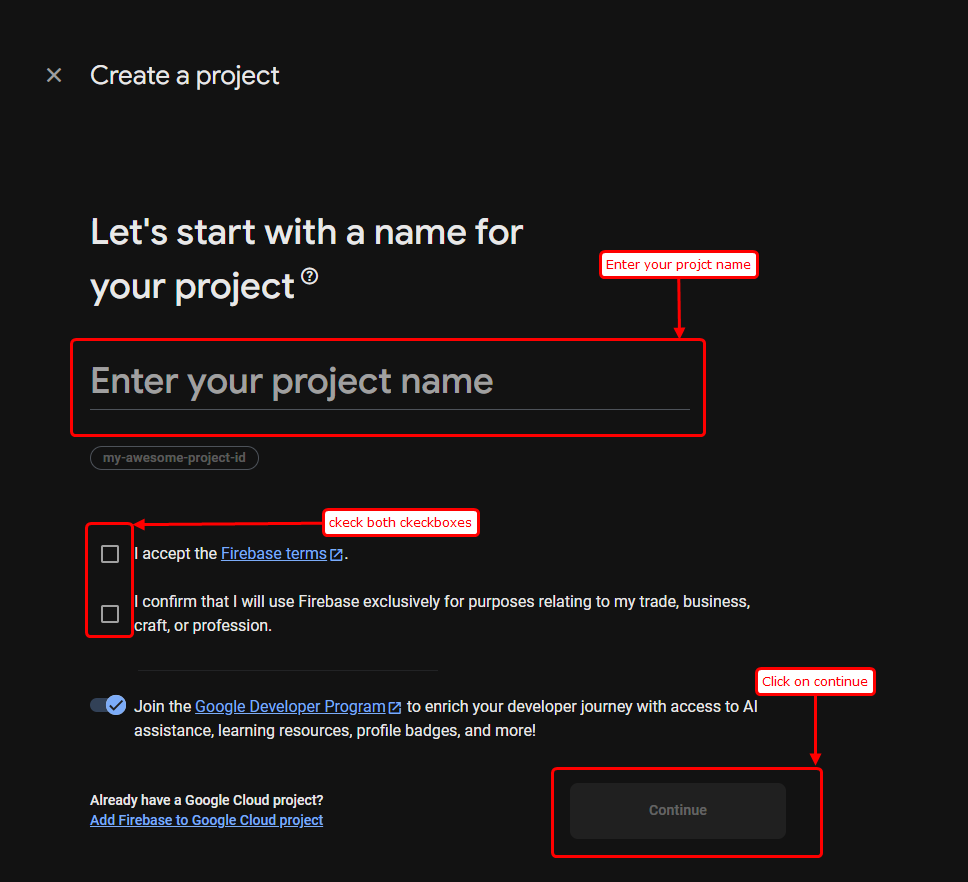
- Enter your project name and click on next.
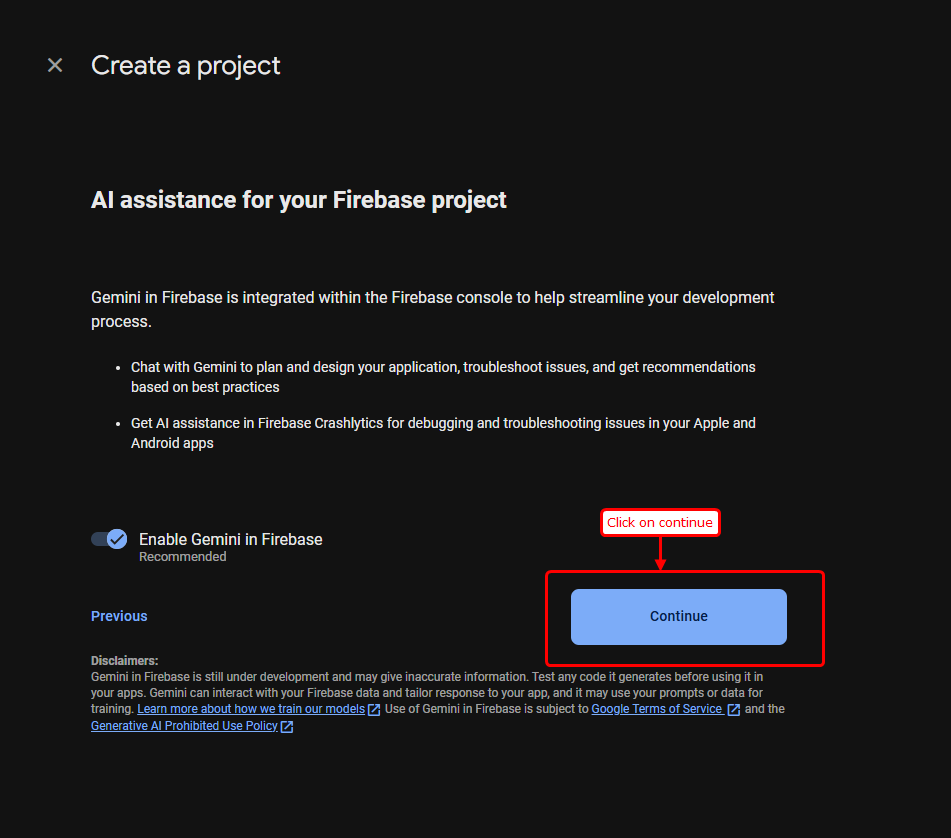
- Click on Continue button.
- Select your location and then create project.
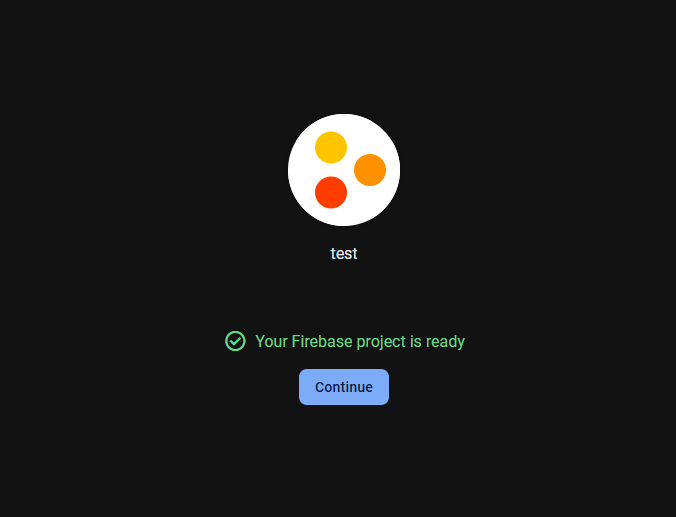
- Then your project will be created.
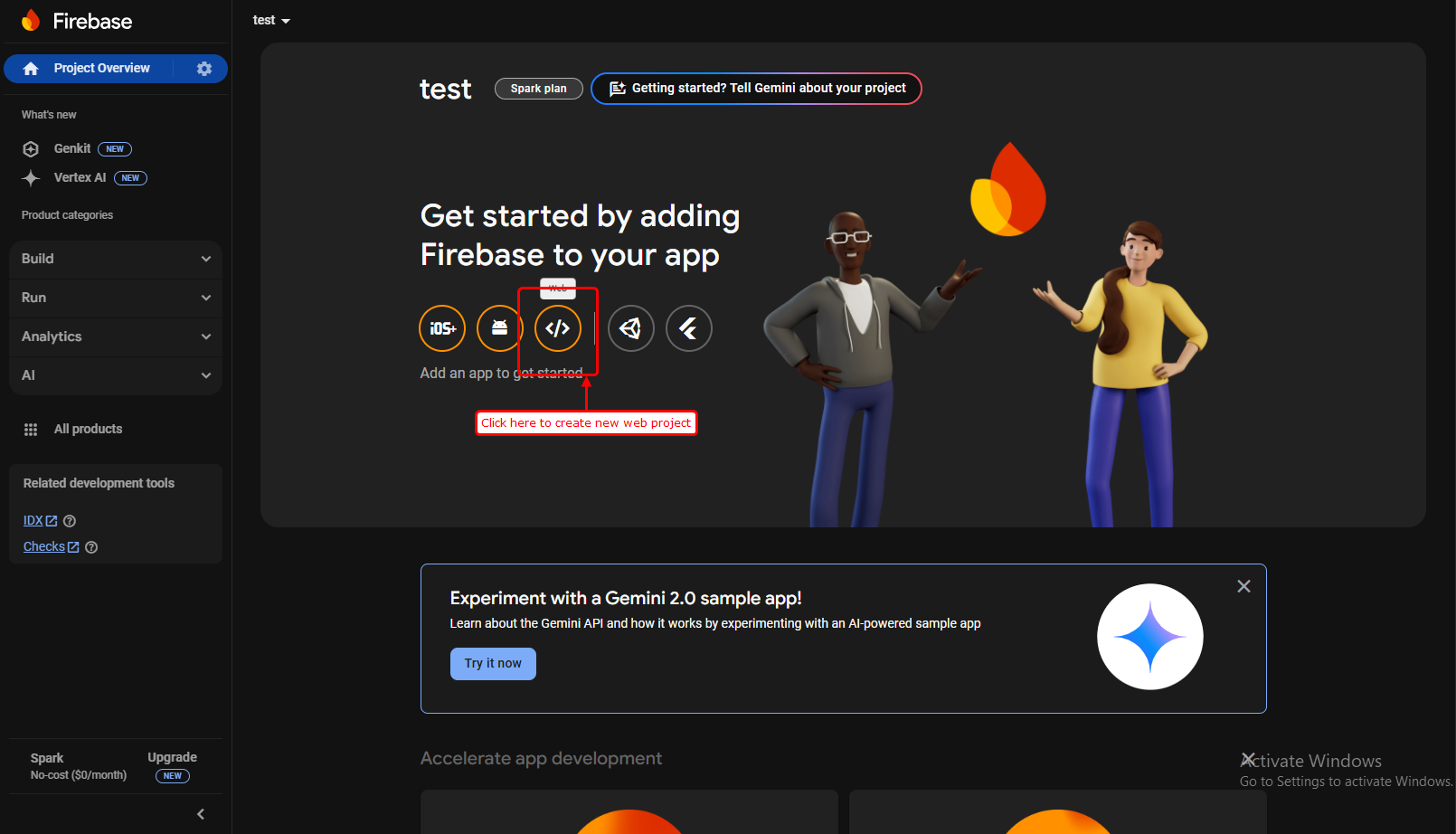
- Then you will see your firebase console dashboard in which click on web to create new web project.
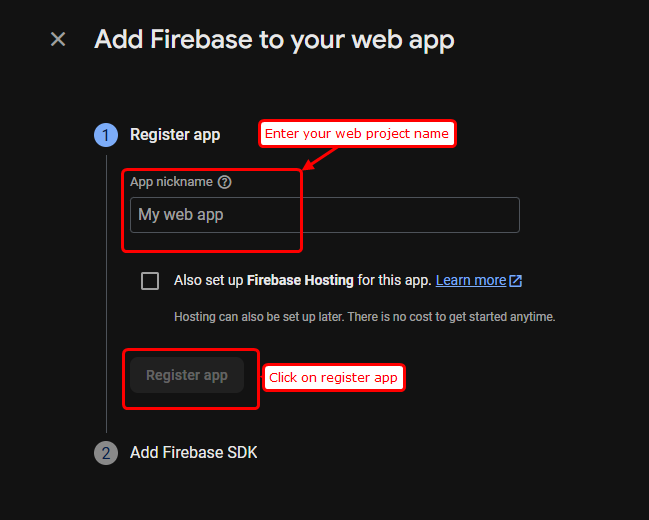
- In next screen enter your web project name and click on register app.
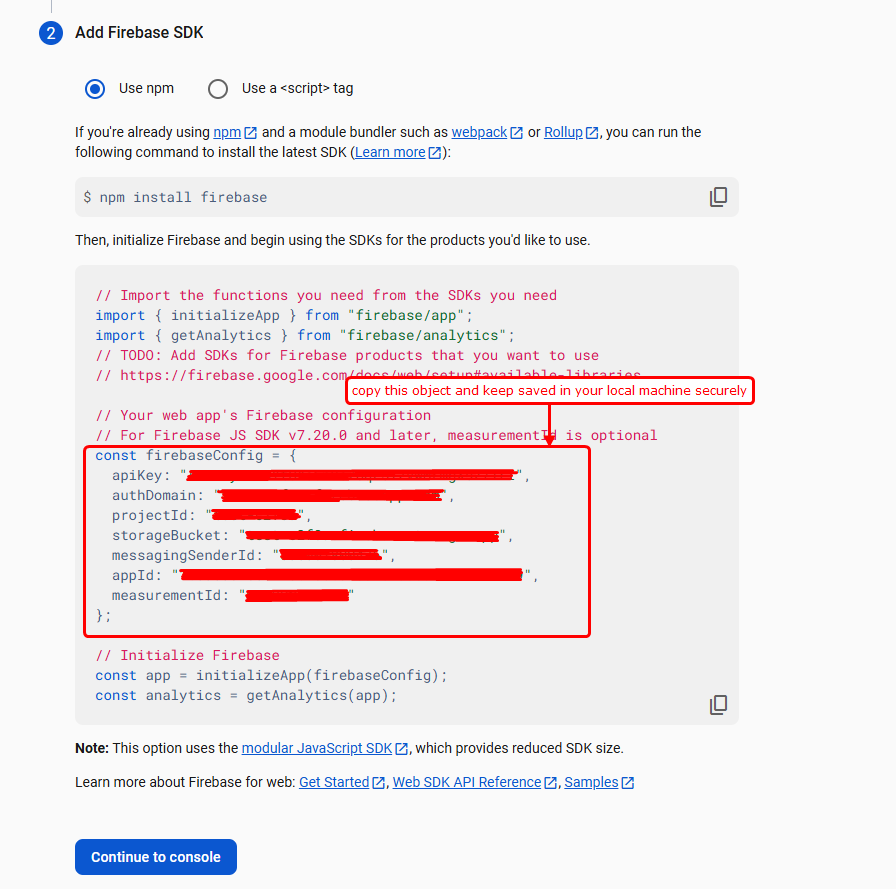
- Add a new Web app and copy the Firebase config object.
- Keep this copied object saved in your local machine and click on continue to console.
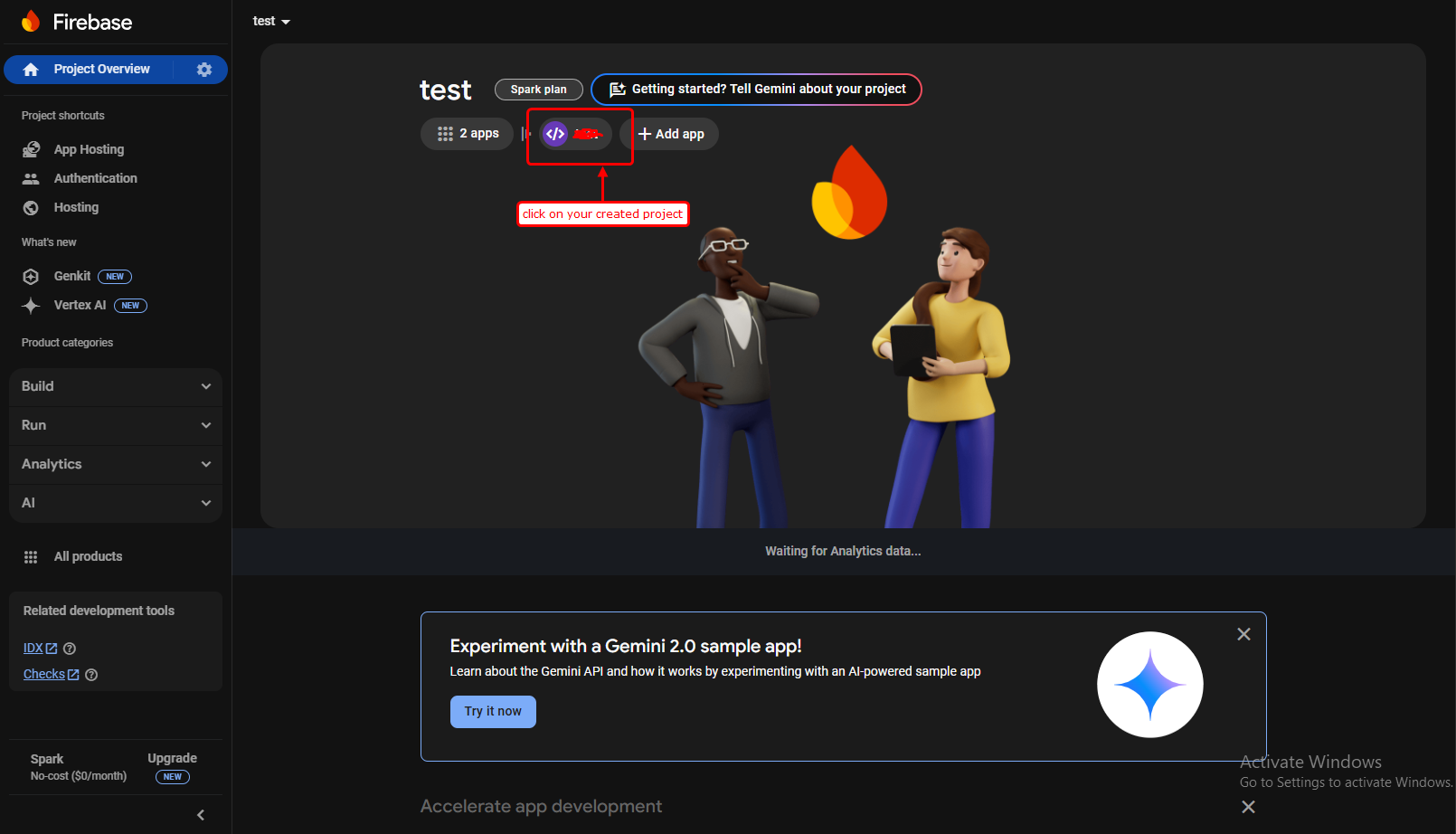
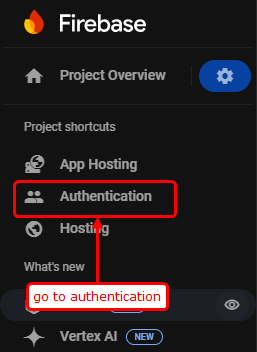
- Click on your created project and go to setting.
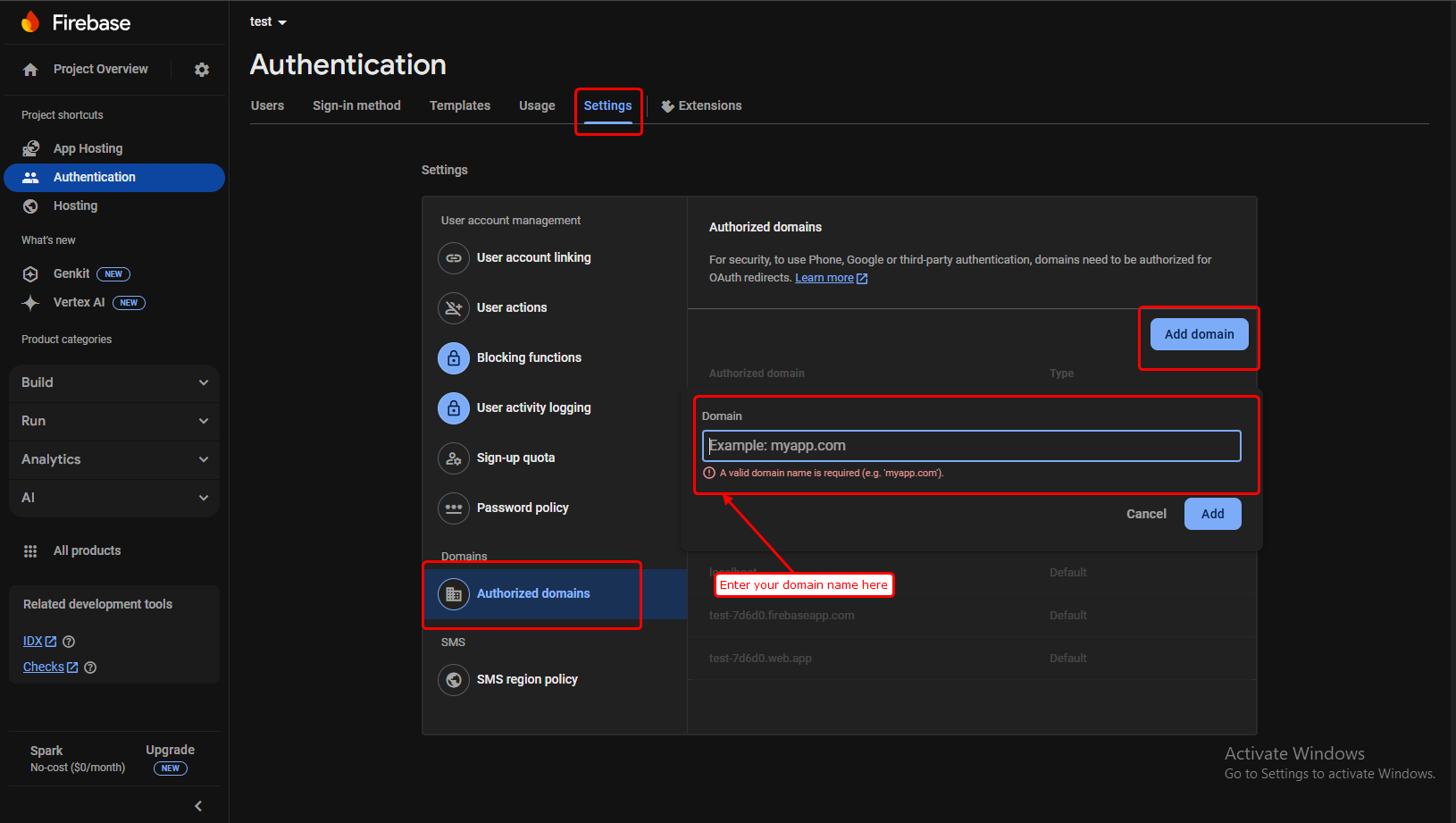
- Go to Authentication Tab.
- Enter your domain name in firebase.
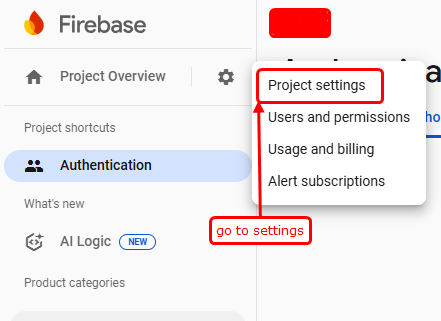
- Go to project settings.
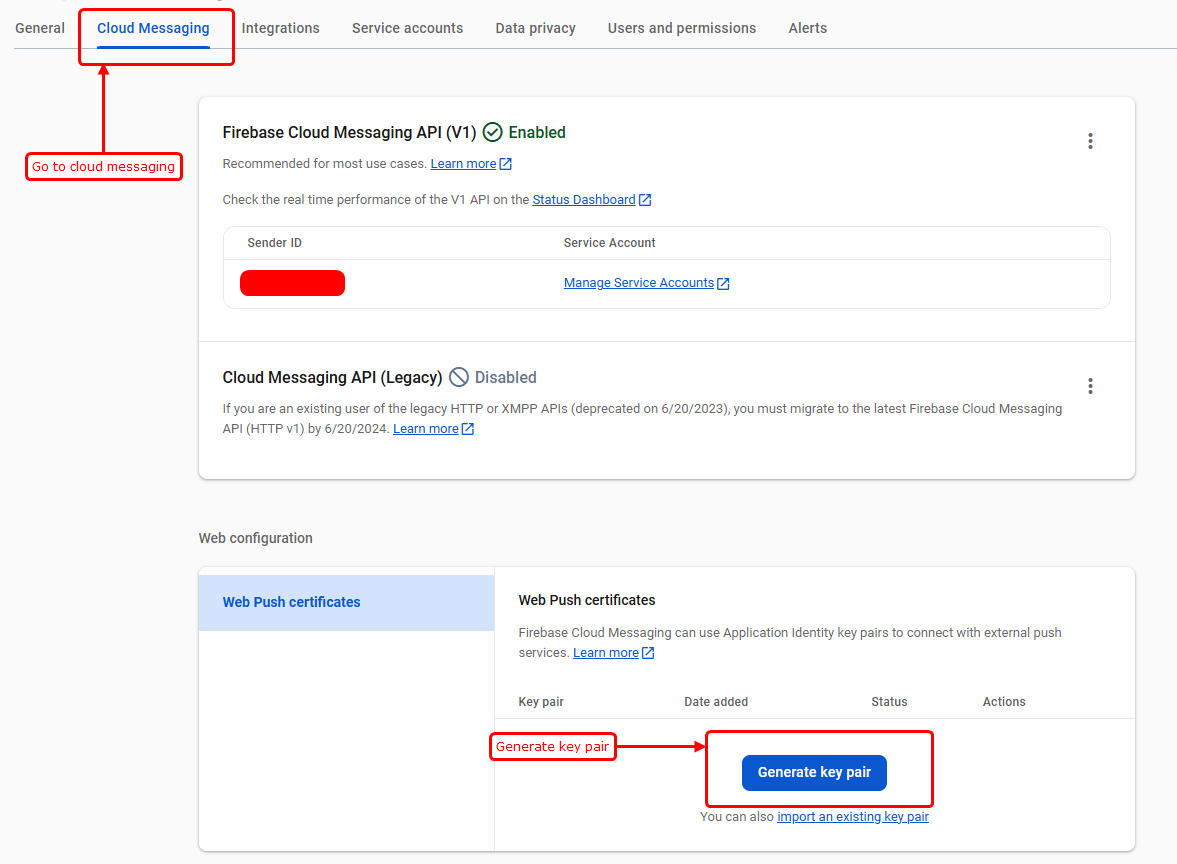
- Generate key pair for Notifications.
- Then you'll see key pair which you have to copy and paste it in your local machine.

Project Overview
-
Open the project, navigate to src/app, and save the changes.

-
Open the `.env` file in your project and replace the value of `NEXT_PUBLIC_PROJECT_NAME` with your own project name, as shown in the screenshot.
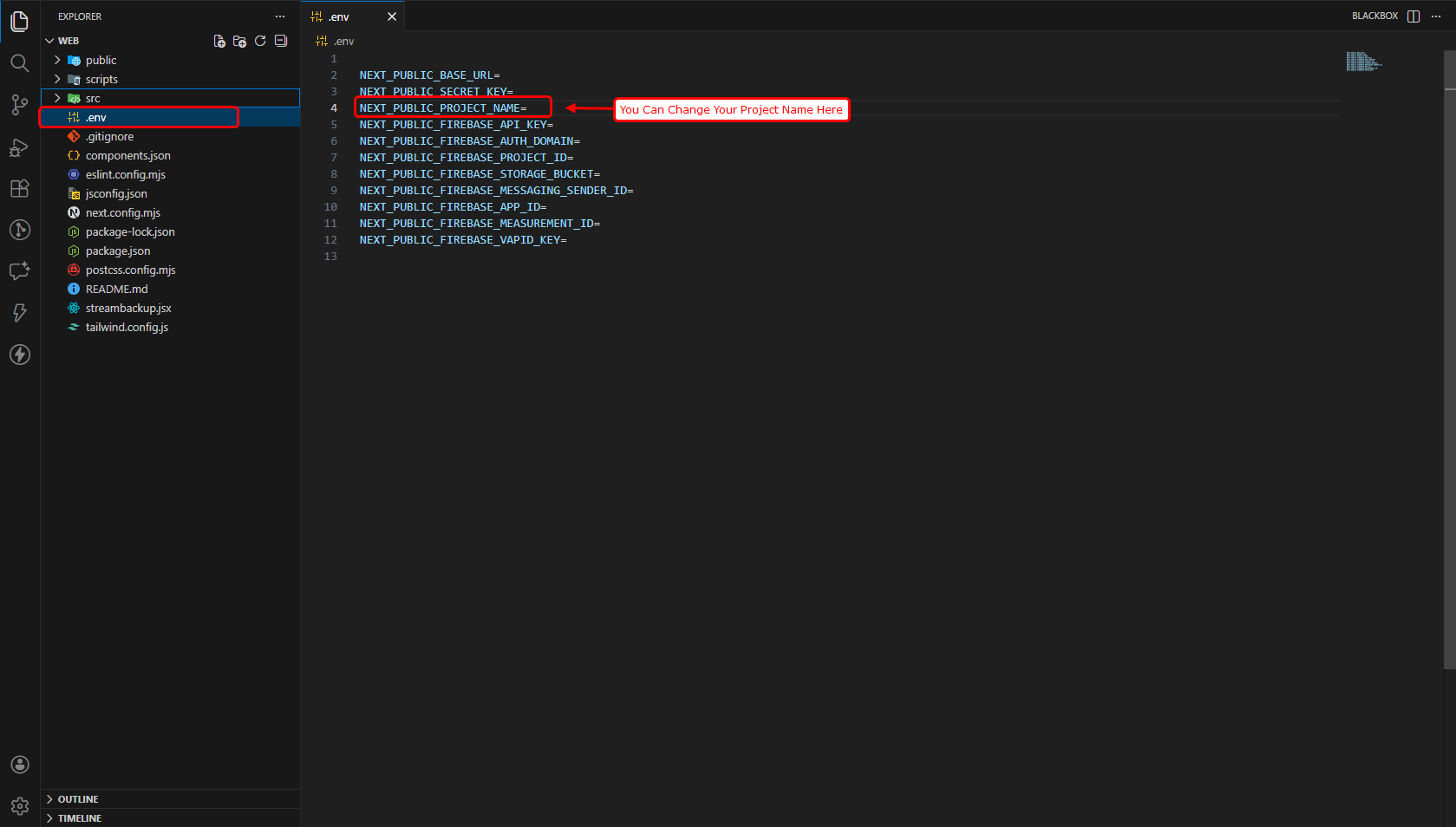
-
If any favicon, logo, or name is changed or newly added, please upload a new build to the server.
How to Build & Deploy
- Navigate to the web frontend project directory on the server.
- Generate the production-ready build by executing the command: npm run build
- Verify the frontend service status using: pm2 status
- Restart the service to apply the latest changes by running: pm2 restart <service-name>
- The deployment has been completed successfully. Please review the live site.
Support
- If you face any issues with the code, Please contact here for support: https://wa.me/+919428577490
- Our technical team will review your request and respond within 24–48 hours.
- Thank you for your patience and cooperation.